
How to Get Started with SingleFig
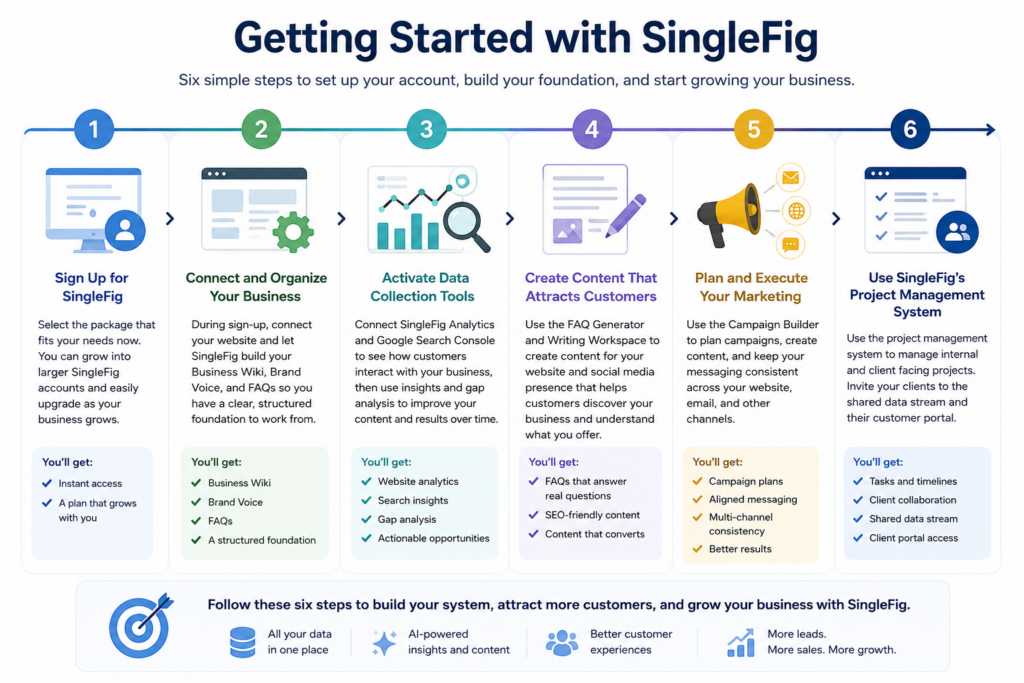
1. Sign up for SingleFig
Select the package that fits your needs now. You can grow into larger SingleFig accounts and easily upgrade as your business grows.
2. During sign-up, Connect and Organize Your Business
Connect your website and let SingleFig build your Business Wiki, Brand Voice, and FAQs so you have a clear, structured foundation to work from.
3. Activate Data Collection Tools
Connect SingleFig Analytics and Google Search Console to see how customers interact with your business, then use insights and gap analysis to improve your content and results over time.
4. Import Your Contacts
Import a spreadsheet of your contacts, and start to add new ones.
4. Create Content That Attracts Customers
Use the FAQ Generator and Writing Workspace to create content for your website and social media presence that helps customers discover your business and understand what you offer.
5. Plan and Execute Your Marketing
Use the Campaign Builder to plan campaigns, create content, and keep your messaging consistent across your website, email, and other channels.
6. Use SingleFig’s Project Management system
Use the project management system to manage internal and client facing projects. Invite your clients to the shared data stream and their customer portal.